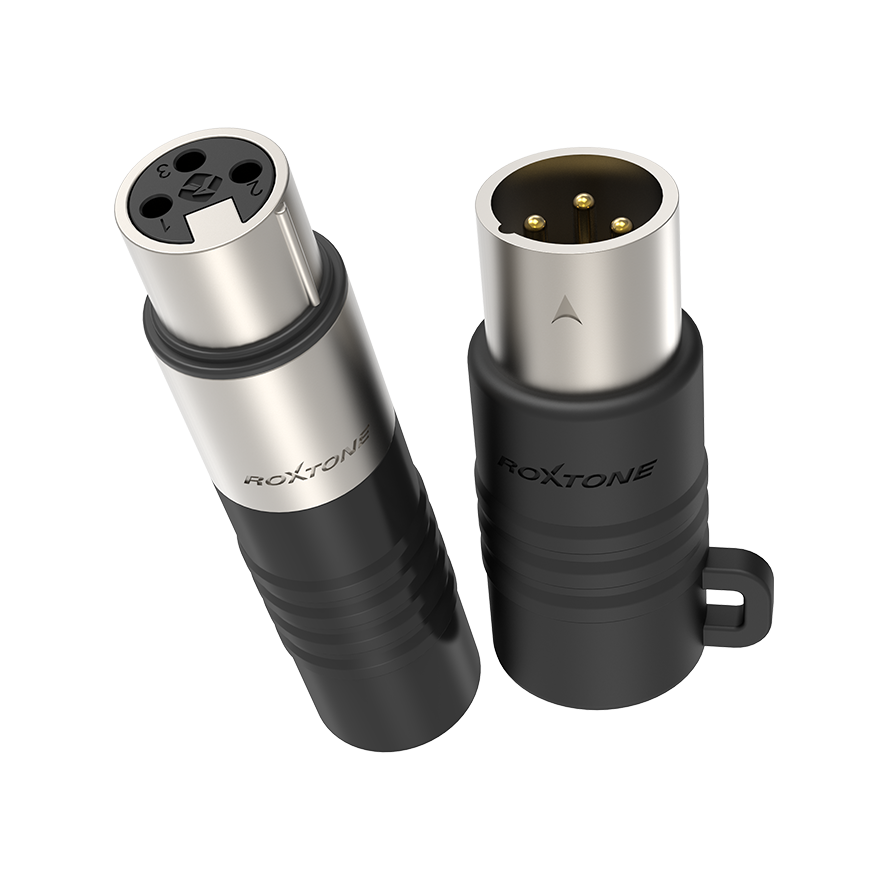
XLR Sender / Sniffer
Experience the
XLR Sender / Sniffer
Light Show
No specifications available yet.
No downloads available yet.
Explore Similar
Products
Ready to Transform Your Space?
Design Concept
On live stages, recording studios or home setups, XLR cables are one of the most essential mediums for connecting audio equipment. The quality of your cables directly affect whether the signal is transmitted properly.
However, troubleshooting faulty cables often consume valuable time, and traditional multi-meters or bulky cable testers can make the process even more complicated. Due to this reason, we designed a tool which every musician and sound engineer should have - the XLR Cable Tester, a fast, compact and reliable solution for quick cable diagnostics.
Features
• Test XLR cable quickly and conveniently
• Durable metal housing with quick plug in and out design
• The sniffer unit can be used independently to quickly diagnose stage boxes or audio interfaces
• Humanization designed silicone sleeve for XLR Sniffer
Package Contents
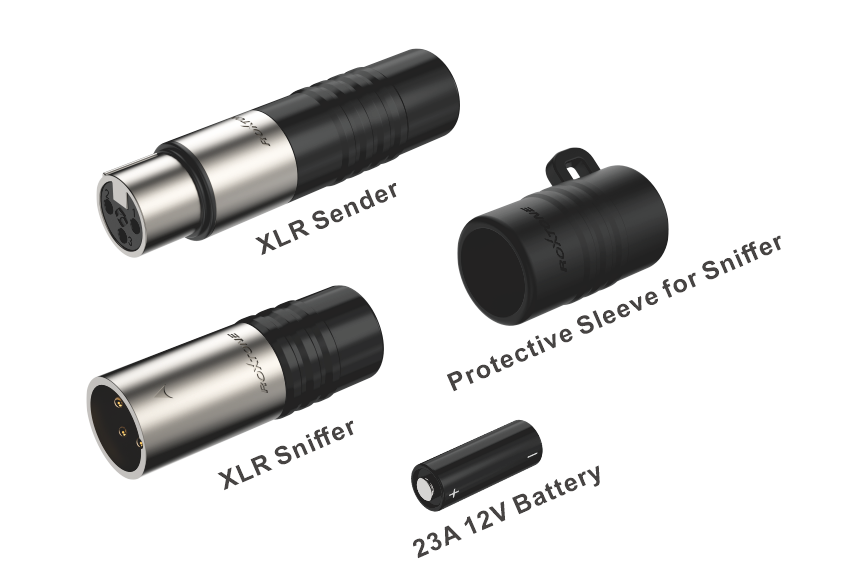
Instant Microphone Cable Diagnosis
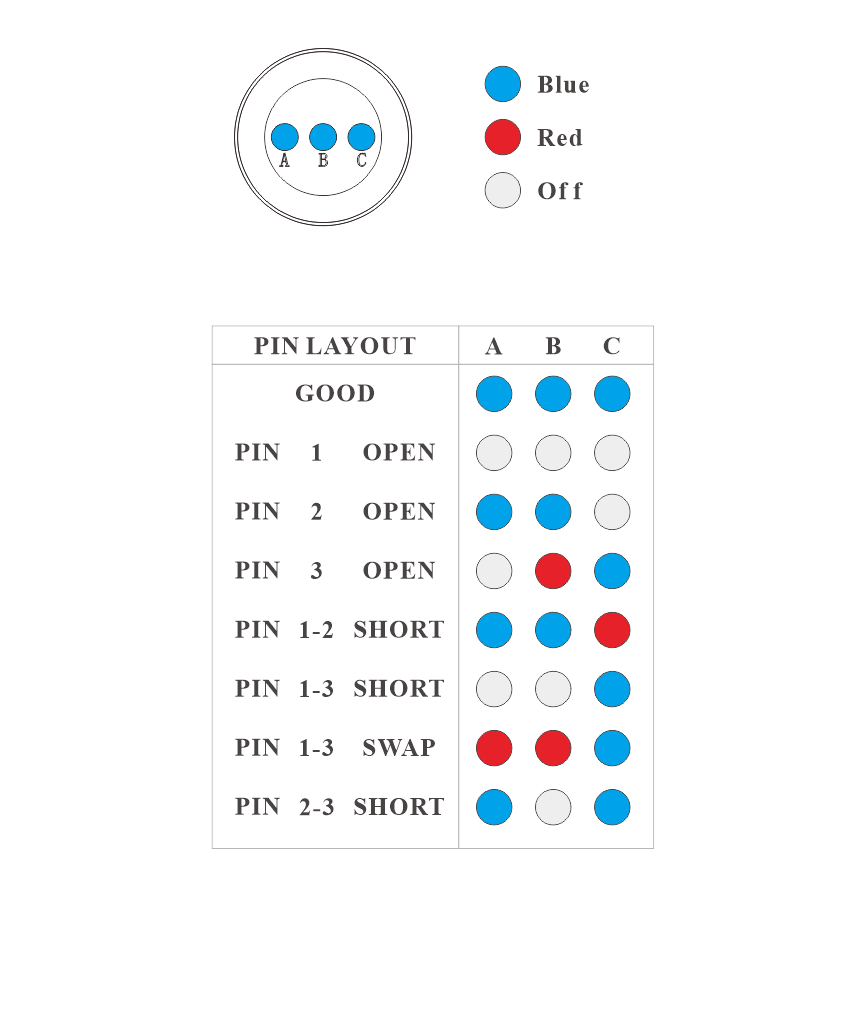
The XLR Sender / Sniffer provides a fast and efficient way to identify potential faults for microphone cables. The sniffer features three LED indicators, which display blue or red depending on the test result.
In standard condition, all three LEDs light up BLUE, indicating the cables and channels are functioning correctly. A combination of blue and red, or any unlit LED, indicates a cable or equipment faulty.
For detailed information, please refer to the LED Indicator Reference Chart.
Battery Installation and Notes
The XLR Sender uses a 23A 12V battery
When replacing the battery:
1.Rotate and remove the black rear cap to open the battery compartment.

Rotate the black rear cap to open the battery compartment
2.Insert the battery with the positive (+) pole toward the sender’s connector and the negative (–) pole toward the rear cap.

Note:
In standard condition, all three LEDs light up BLUE, indicating the cables and channels are functioning correctly.
If the battery is installed with reversed polarity,the LED indicator colors will be inverted to that three RED LEDs indicating the cables and channels are functioning correctly.
Operating Scenario 1 - Standard Cable Test
Connect the XLR Sender and Sniffer to both ends of the cable under test. Check the Sniffer’s three LEDs to determine the cable condition based on the color combination.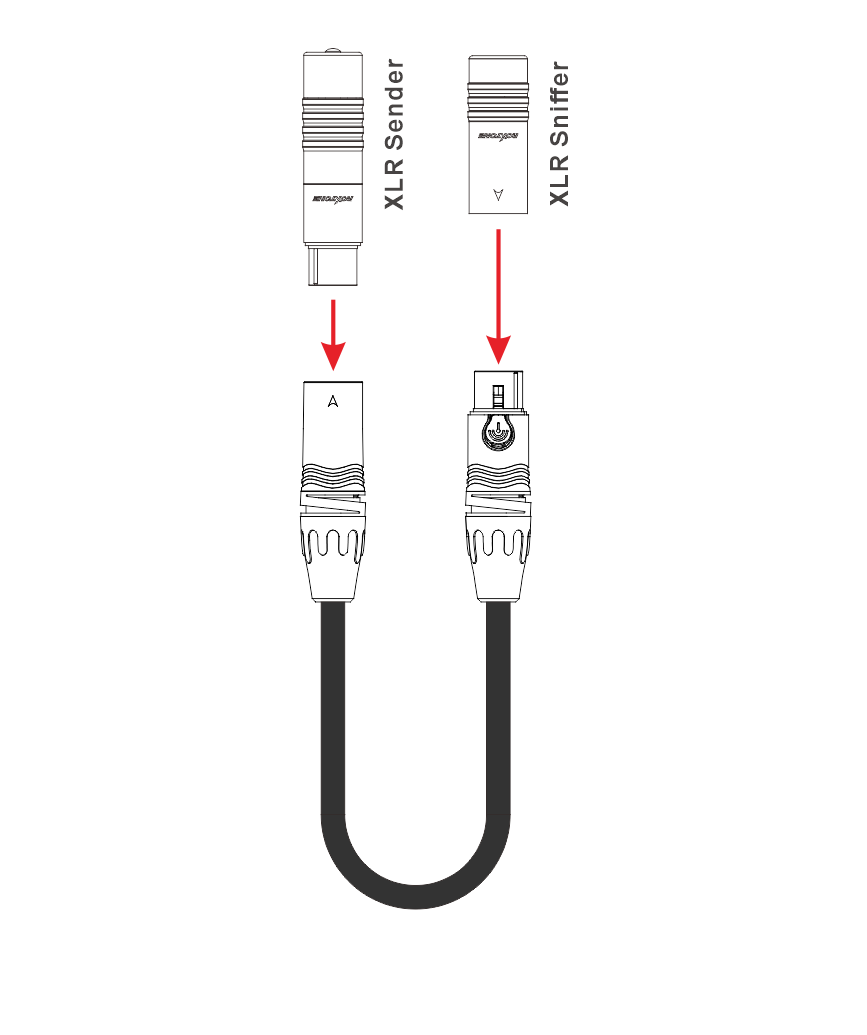
Operating Scenario 2 - Stage Box Channel Test (under 48V phantom power)
To test XLR input channels on a stage box, connect the stage box to the sound system and power it, insert the XLR Sniffer into the female connector of the stage box channel to be tested, determine the channel status based on the LED indicators.
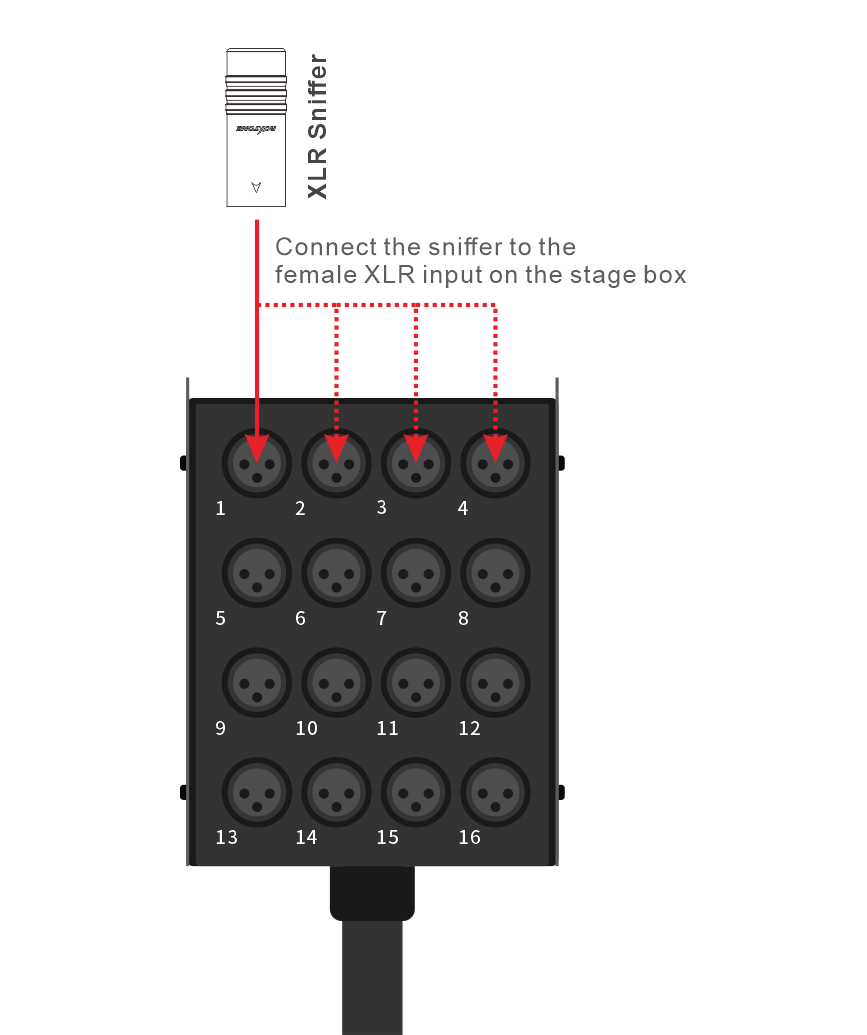
Operating Scenario 3 - Mixer Channel Test (under 48V phantom power)
To check XLR input channels on a mixer, power on the mixer, insert the XLR Sniffer into the female XLR input channel that you want to test, diagnose the channel condition using the LEDs light combination.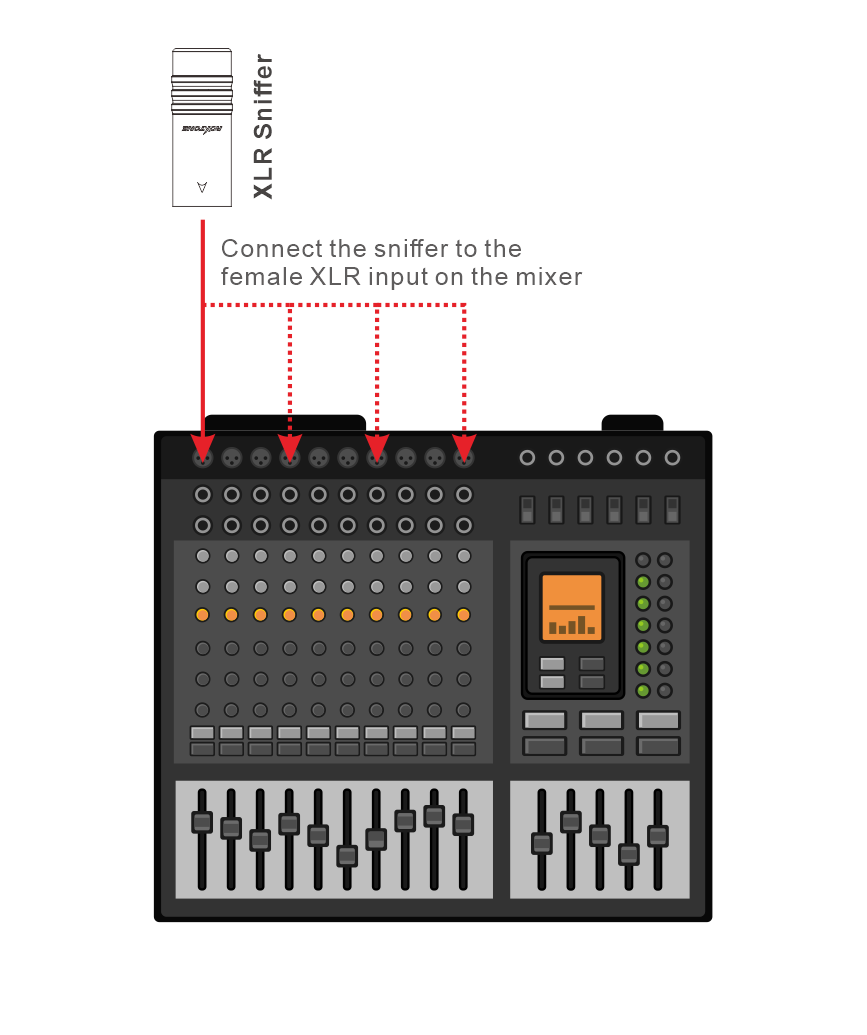
XLR Sniffer LED Indicator Reference Chart
The three LED indicators on the sniffer can be used to determine the cable or device channel status based on the following LED combinations.
No reviews yet.